Custom billing meters
Define the value unit that fits your product, including generated documents, searches, audio minutes, and agent actions.
UsageTap Product
Meter consumption, apply customer policy, forecast behavior, embed visibility, and synchronize trusted usage with your commerce stack.
Your usage flow
UsageTap owns usage data and policy. Your provider keeps owning subscriptions, invoices, and payments.
Instrument the product lifecycle once.
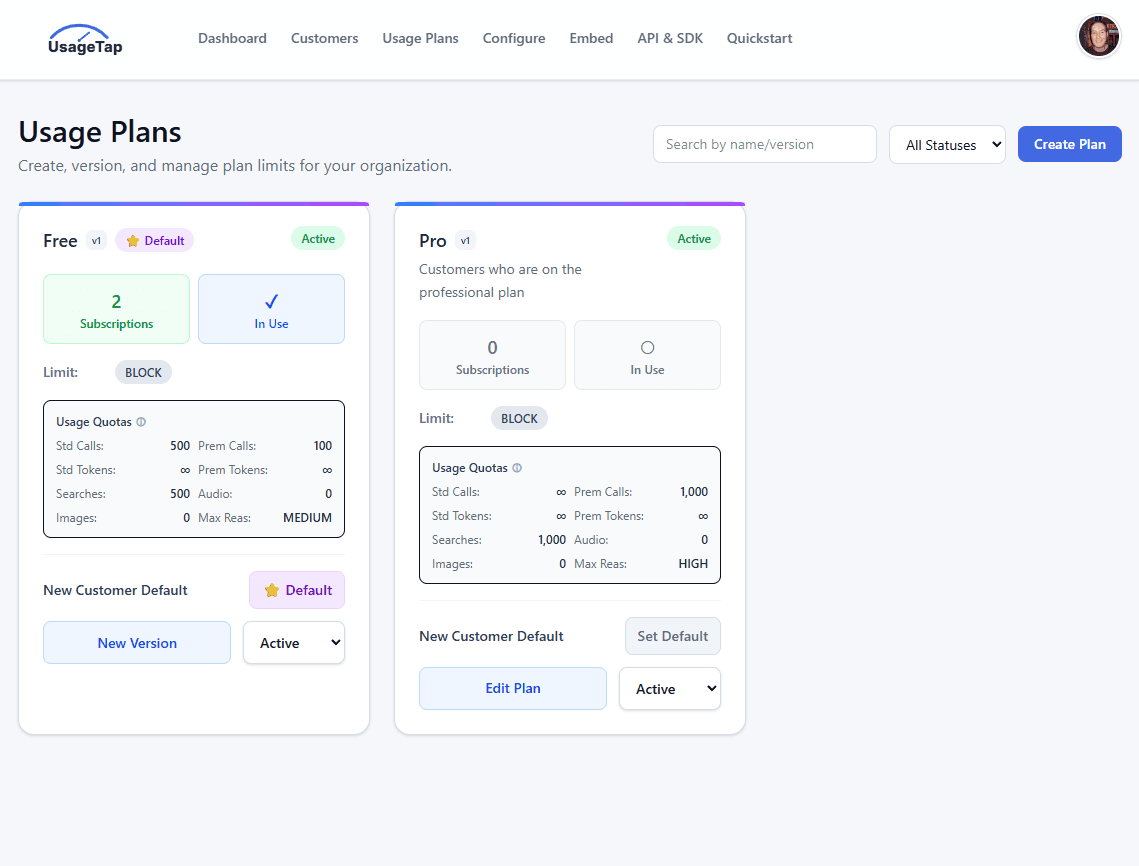
Change plans and controls from operations.
Give teams and customers the same truth.
Product walkthrough
UsageTap connects the operator view, customer usage experience, forecasts, and plan controls. Walk through the product before exploring each capability below.

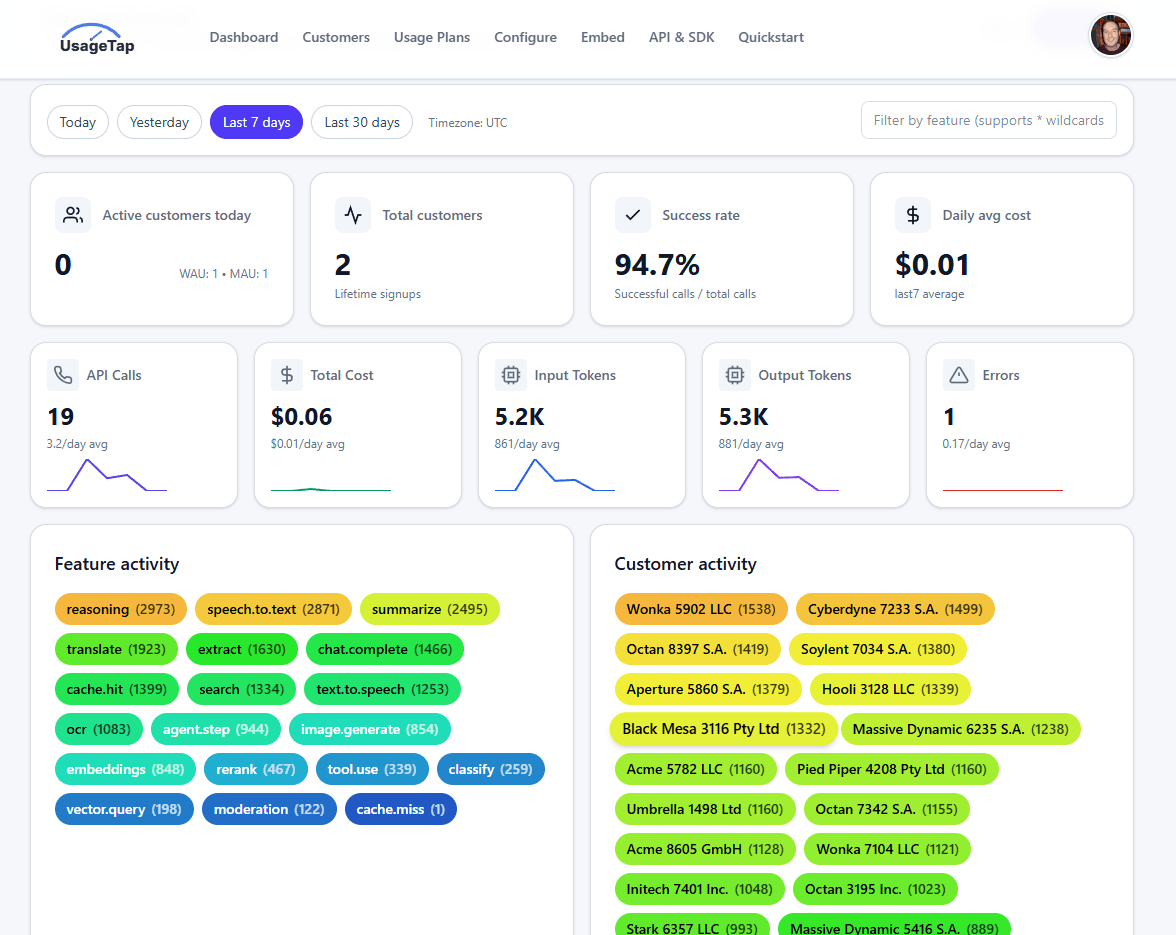
Know what happened
Capture the product events that drive customer value and variable cost, with enough context to understand who used what.
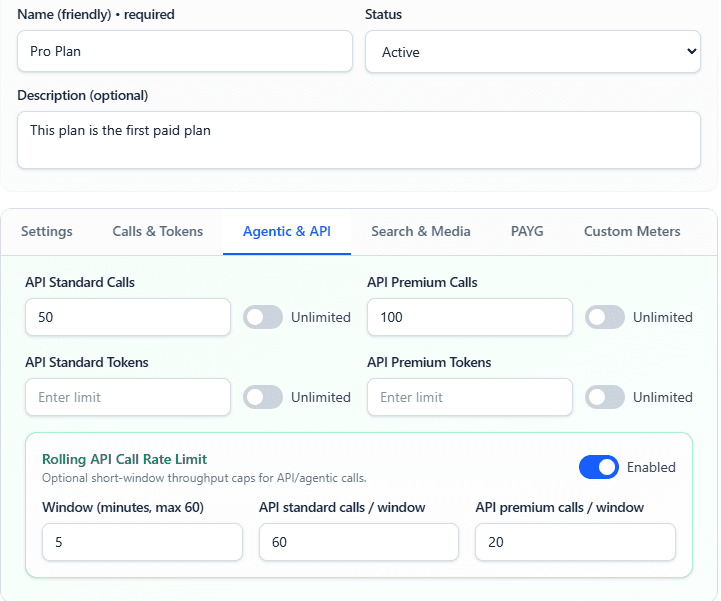
Decide what happens next
Apply plan and customer policy before high-cost usage becomes a margin problem or an unpleasant billing surprise.
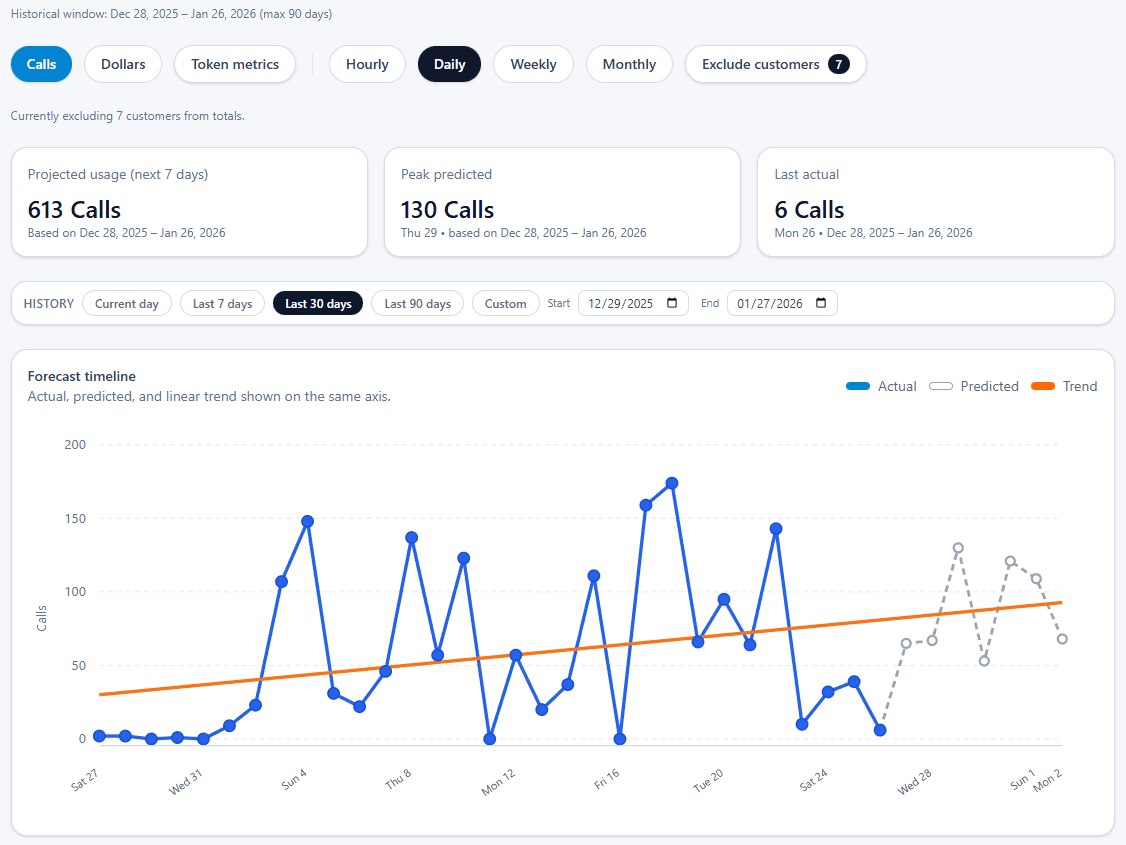
Forecast usage
Understand where usage and spend are heading while customer teams, operators, and customers still have time to act.
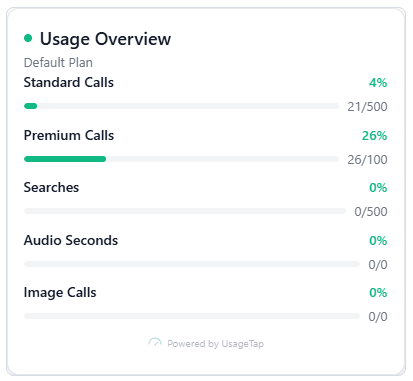
Make usage visible
Put current consumption and the next best decision inside your product, without building a new analytics surface from scratch.
Reach the right team
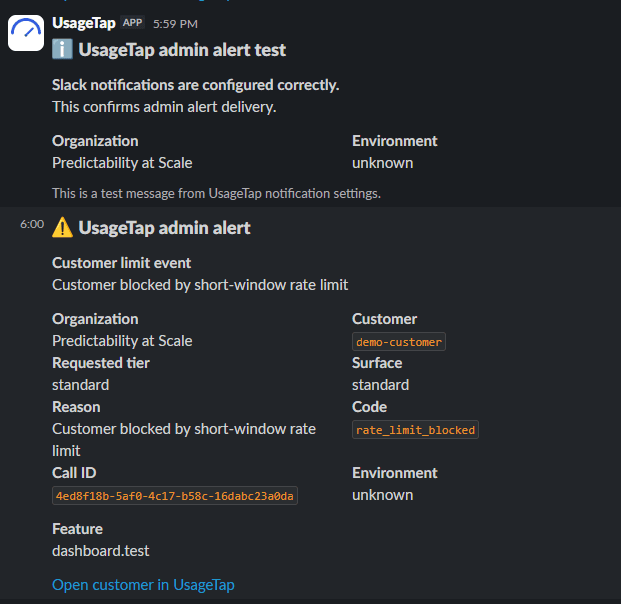
Route useful signals to customer and operations teams before renewal, runout, abuse, or an unexpected change becomes urgent.
Connect usage to commerce
Pass trusted usage into the systems that own subscriptions and payments while UsageTap remains focused on usage data and policy.
Infrastructure and extensibility
UsageTap gives product teams a focused operating surface without closing off the billing, observability, and internal systems that already run the business.
Define the value unit that fits your product, including generated documents, searches, audio minutes, and agent actions.
Stream calls, tokens, latency, and cost to OTLP-compatible tools including Datadog, Grafana, and New Relic.
Send validated meter events and keep UsageTap customer plans aligned with the subscriptions Stripe already owns.
Integrate with the TypeScript SDK or plain HTTP, then deliver usage and policy events to internal systems through webhooks.
SDK and HTTP integration
Check entitlement and policy before expensive work begins, then report the actual usage when it completes. The same pattern works for AI calls, APIs, and custom meters.
Read the integration reference →Check customer policy, invoke your provider, then report the usage and outcome.
const begin = await usageTap.beginCall({
  customerId,
  feature: "document.generate",
  requested: { premium: true },
});

if (!begin.data.allowed.premium) {
  throw new Error("Premium calls exhausted for this customer");
}

const model = "openai/<model>";
const response = await openai.responses.create({
  model,
  input,
});

// Model name is illustrative; UsageTap supports multiple providers via your configured AI stack.

await usageTap.endCall({
  callId: begin.data.callId,
  modelUsed: model,
  inputTokens: response.usage?.input_tokens ?? 0,
  responseTokens: response.usage?.output_tokens ?? 0,
});
A separate product for input cost
Compress is purpose-built for prompt optimization and savings. It complements UsageTap without making compression part of the UsageTap control-plane story.
Usage data and policy, connected
Start with metering, then add controls, forecasting, customer visibility, and commerce synchronization when you need them.