AI provider or your application
- Runs or routes the AI request
- Returns vendor usage and cost when available
- Performs custom workflows and product actions
- Continues to own provider availability
UsageTap Meter
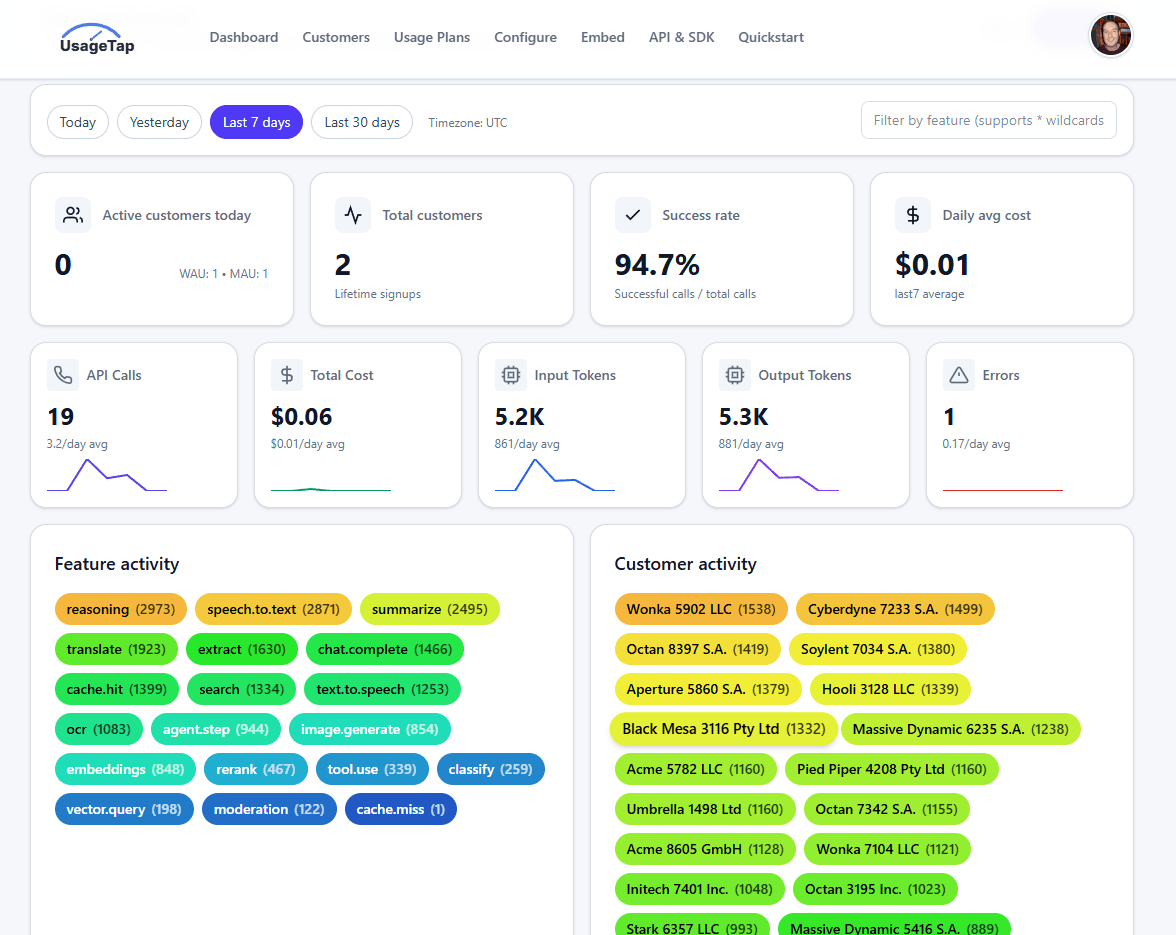
Connect calls, tokens, agent actions, and custom product events to customer accounts. Apply plan allowances before expensive work runs, show customers their current and predicted usage, and send validated totals to Stripe.
Set hard limits for known boundaries and get confirmed email or Slack alerts when usage or spend changes unexpectedly.
Already have provider exports? Analyze them locally in your browser.
One-prompt Meter setup
Use one prompt to inspect your existing provider calls, choose the right SDK or HTTP path, implement Meter safely, and hand back the exact keys and Meter configuration steps.
The agent asks only when it cannot safely infer the customer identity or integration target. Gateway and Compress stay out of the first implementation.
Open the canonical agent referenceImplement UsageTap Meter in this repository.
Read https://usagetap.com/llmreference first and treat it as the canonical contract. The initial goal is Meter only. Do not add UsageTap Gateway, UsageTap Compress, prompt compression, provider migration, model changes, or Stripe synchronization unless I explicitly ask.
Start by wrapping the application's existing LLM calls. New UsageTap workspaces receive a Metering plan with unlimited calls and output tokens and no plan quota blocking. Existing workspaces retain their configured plans; do not overwrite them or bypass their enforcement. Pricing tiers, limiting, and usage widgets are optional follow-up work, not prerequisites for a new workspace's first metered call.
When the requested target is HTTP API requests or MCP tool calls, use the dedicated Agentic & API Calls meter: POST /custom_meter or incrementCustomMeter with meterSlot AGENTIC_API and a positive integer amount. Read https://usagetap.com/llmreference#agentic-api. Configure the allocation, eligible purchased credits, PAYG funding and single or graduated prices just like a custom meter. Report completed usage with a stable idempotency key; inspect data.blocked and enforce it in the application. This reporting API does not reserve credit or impose rolling rate limits. Skip the provider-specific lifecycle, model and token steps below for this target; those steps apply only to LLM usage.
Work autonomously:
1. Inspect the repository to find every server-side AI/provider call, the framework/runtime, existing provider SDKs, streaming behavior, tests, environment-variable conventions, and the trusted authenticated customer or tenant ID.
2. Choose the smallest safe integration. Prefer @usagetap/sdk for supported server-side JavaScript/TypeScript provider clients. Use the explicit SDK lifecycle when BLOCK or DOWNGRADE must control provider invocation or model selection; provider wrappers do not invent a safe fallback model. Use direct HTTPS for other languages or when the SDK is not a safe fit. Preserve the existing provider, model, request/response shape, and error behavior.
3. Ask one concise clarification only if a stable server-trusted customerId cannot be inferred or there are multiple materially different integration targets. Otherwise proceed.
4. Implement the complete Meter lifecycle. Attribute every call to a stable customerId and feature; begin before provider work; inspect data.allowed before invoking the provider; do not end a denied call because call_begin already finalized it; finalize an allowed call exactly once on success, error, stream completion, cancellation, or abort; report the actual model and usage returned by the provider; sanitize error metadata; and use one unique idempotency key per logical call, reused only for its retries.
5. Keep all credentials server-side. Never read, print, log, or commit secret values. Add placeholders only to the project's example environment file. UsageTap Meter needs USAGETAP_API_KEY (create a utk-… key with usage:write at https://usagetap.com/configure#api-keys). Keep the app's existing provider key such as OPENAI_API_KEY, ANTHROPIC_API_KEY, or OPENROUTER_API_KEY.
6. Add or update focused tests and run the relevant test, lint, and type/build checks. If credentials are unavailable, finish and verify the code without attempting a live provider request.
When done, report:
- what you changed and which calls are now metered;
- the exact environment-variable names the user must set, without values;
- any one remaining user decision or action;
- the command or request that produces the first metered call;
- how to watch it in Live View at https://usagetap.com/live and find the completed request in recent calls at https://usagetap.com/dashboard#recent-calls;
- the integration guide at https://usagetap.com/embed-api?features=meter if setup needs attention;
- optional next steps in Control Center at https://usagetap.com/dashboard?tab=system. The first successful metered call completes the initial setup.
Do not stop at a plan or code sample. Make the changes when it is safe to do so.Product walkthrough
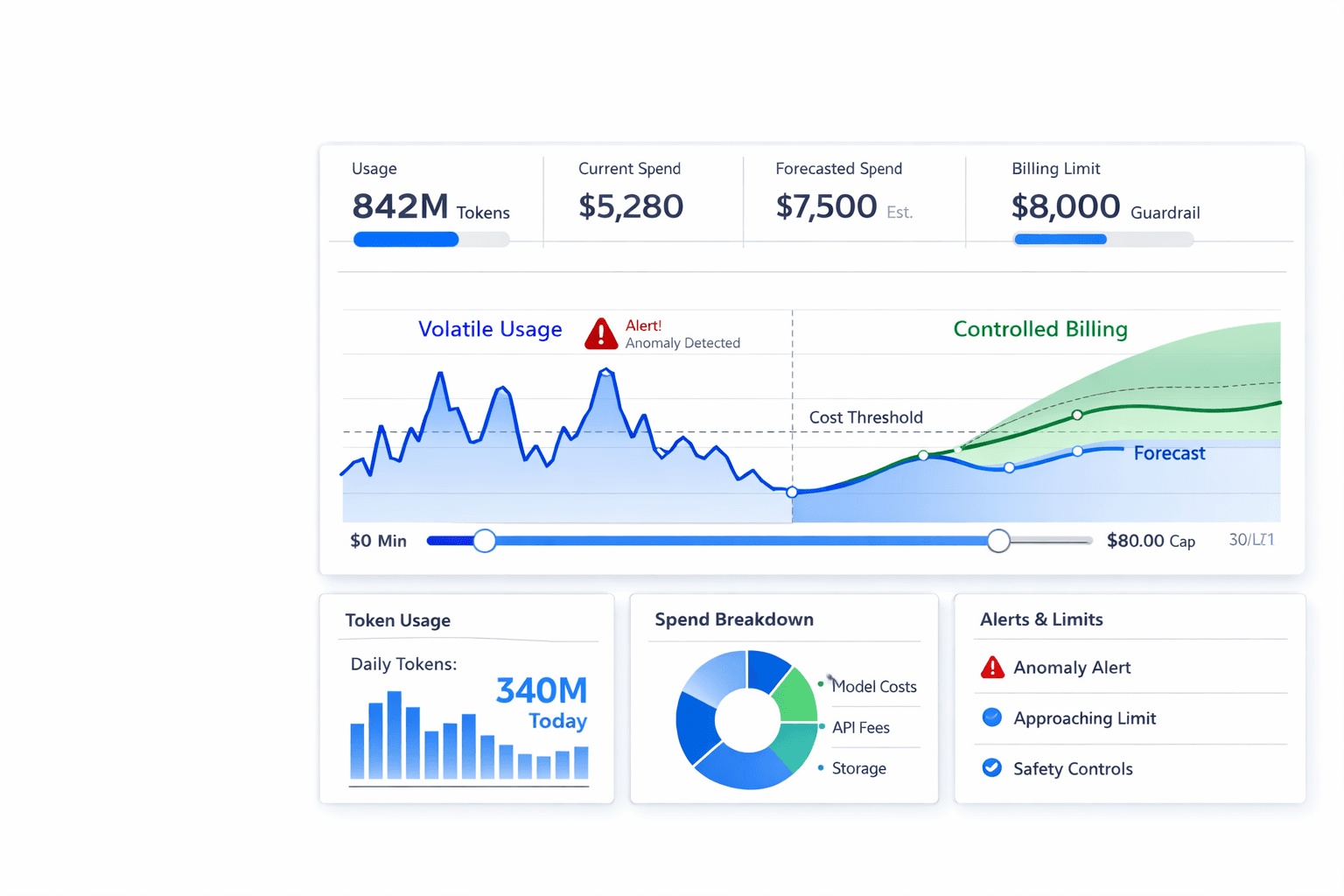
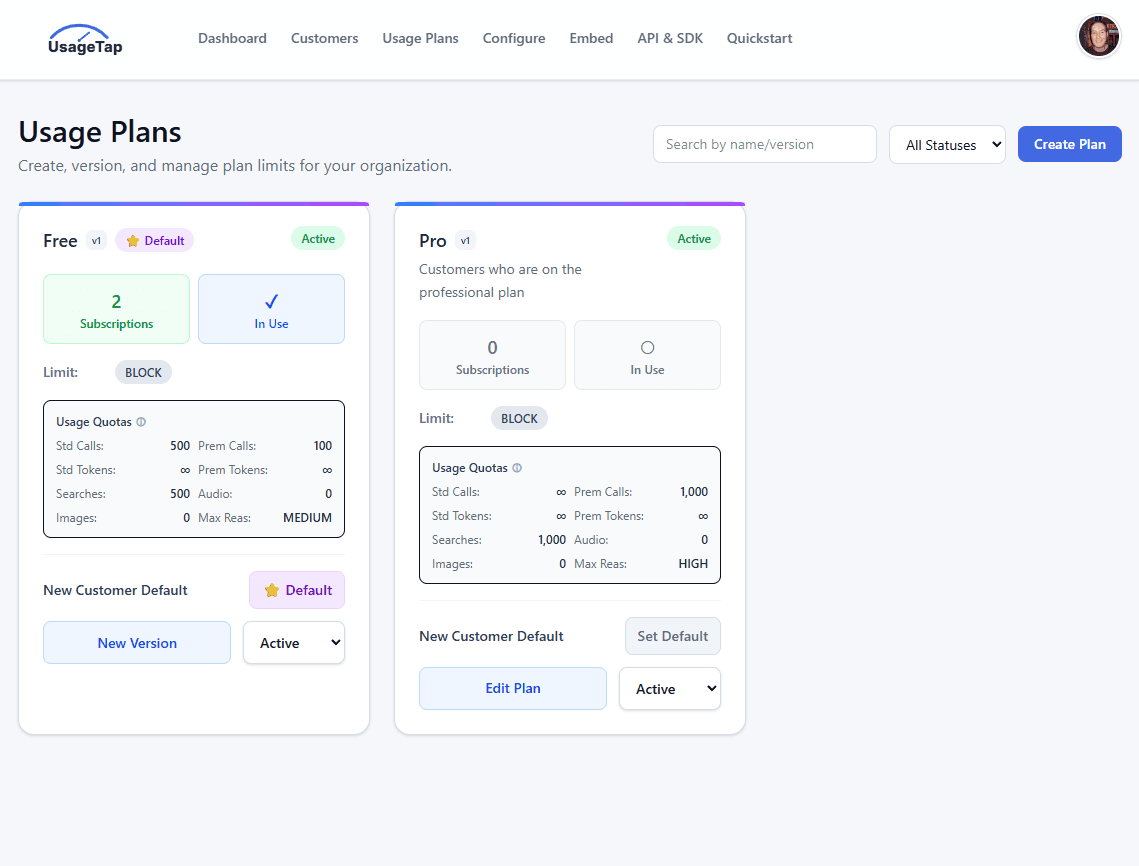
Move from named customer usage to current allowances, forecasts, status, and plan controls in one short walkthrough.
The walkthrough is silent and loops automatically. A static dashboard is shown when reduced motion is preferred.
Provider-neutral integration
Meter OpenAI, Anthropic, Google, OpenRouter, self-hosted models, or any HTTP call. Use the direct SDK for agent actions, API requests, generated outputs, and other custom product events that never touch an LLM.
Read the full Meter SDK reference →Provider or route
Integration style
Your selection
Keep the OpenAI SDK and add the UsageTap SDK to meter usage.
npm install @usagetap/sdk openaiimport OpenAI from "openai";
import { withMetering } from "@usagetap/sdk/openai";
const provider = new OpenAI({
apiKey: process.env.OPENAI_API_KEY,
});
const openai = withMetering(provider, {
apiKey: process.env.USAGETAP_API_KEY,
customerId: currentCustomer.id,
feature: "chat.reply",
});
const response = await openai.responses.create({
model: "gpt-5.6-luna",
input: prompt,
});Providers continue to run AI calls and your application continues to run custom workflows. Stripe owns subscriptions, invoices, and payment. UsageTap owns the customer usage record and the policy around it.
From event to trusted usage
Meter
Attribute calls, tokens, agent actions, and custom events to the correct customer, tenant, feature, or workflow.
Control
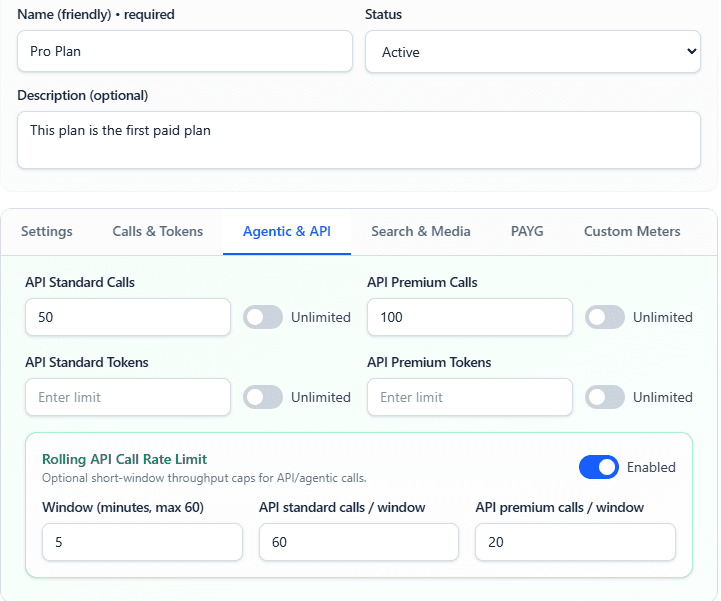
Check allowances and limits before running costly AI work.
Forecast
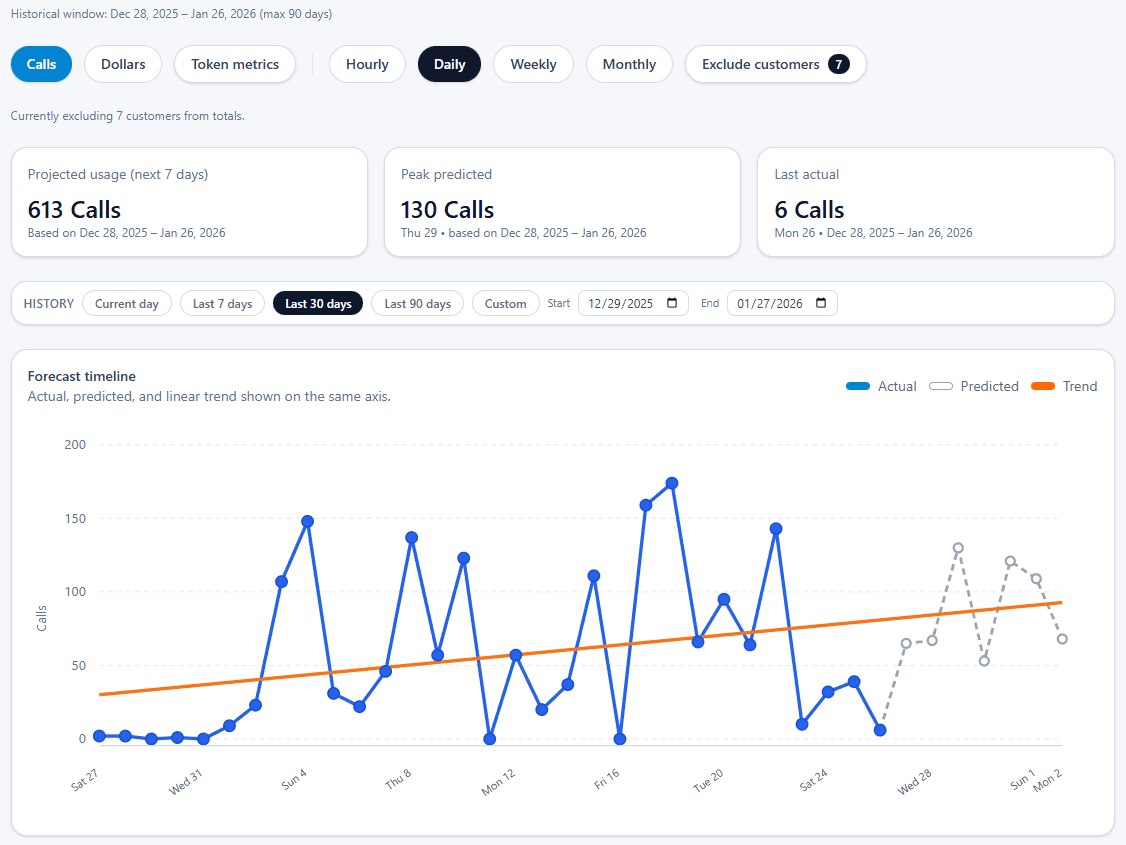
Estimate runout, compare finalized usage with its learned baseline, and route confirmed changes to email or Slack.
Synchronize
Synchronize validated usage while Stripe continues to own subscriptions, invoices, and payments.
Spend protection
Meter protects known boundaries before work begins. Its anomaly system watches finalized usage and spend for material changes, confirms noisy signals, and tells your team what was observed versus expected.
Apply allowances, burst controls, and hard limits before an expensive agent action or model call runs.
Learn normal usage and spend patterns, group related signals into incidents, and notify email or Slack.
Use authoritative daily OpenAI or Anthropic reports alongside faster hourly estimates from metered calls.
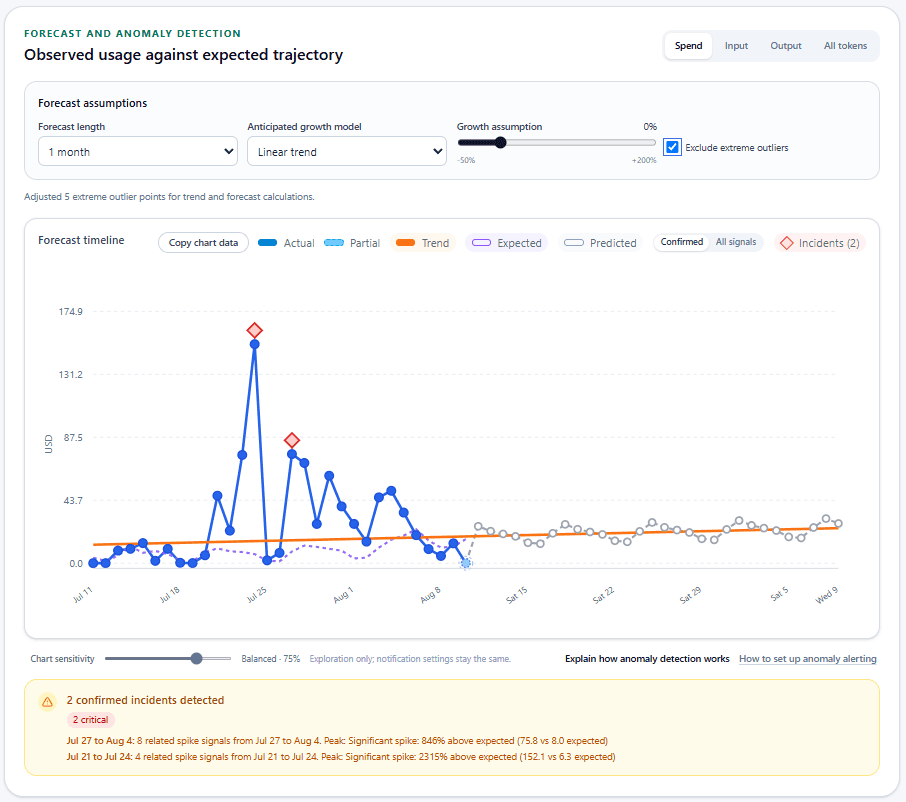
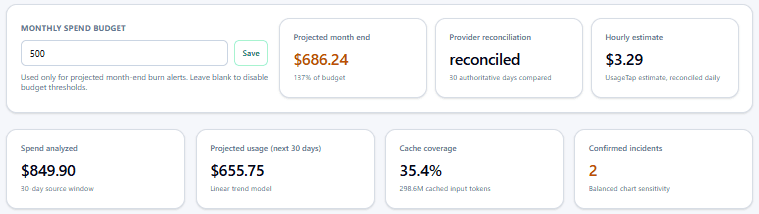
Example workspace using provider-reported daily spend and UsageTap hourly estimates. Alert sensitivity is separate from the exploratory chart control shown here.
Why we built this guardrail
In July, a runaway agent process in FocusedFit.ai pushed one day of provider spend far outside its normal pattern. That experience is why Meter pairs hard limits for known boundaries with anomaly alerts for changes teams did not anticipate.
Anomaly alerts notify your team; configured Meter limits are what enforce policy before work begins.
UsageTap gives your team the customer, feature, and usage context needed to investigate and respond.
A customer may be adopting a new workflow, automating more work, approaching an upgrade, or generating abusive traffic.
A customer may be experiencing seasonality, disengagement, reduced adoption, or early churn risk.
A customer may need an upgrade, an overage path, or an earlier warning.
A model, workflow, or customer behavior may be creating margin pressure.
These patterns are starting points for investigation, not automatic classifications of traction, expansion, abuse, or churn.
Customer-facing usage
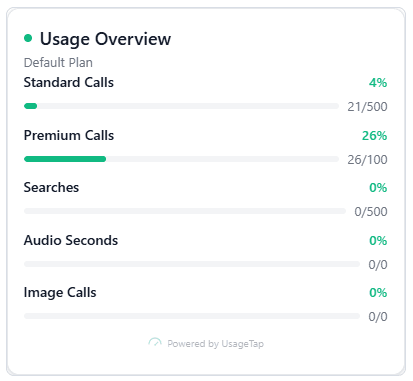
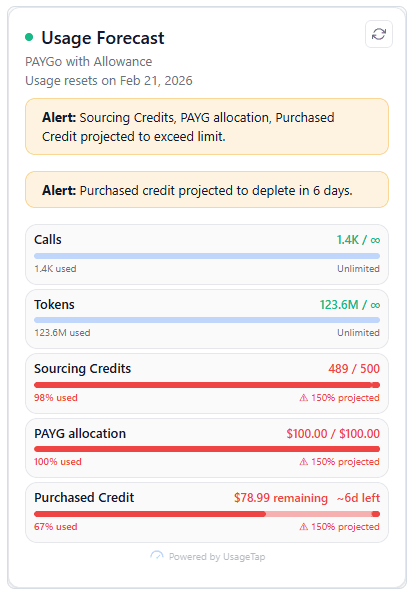
Put current consumption, remaining allowance, forecast, and status inside your product so customers can act before a limit becomes a surprise.
Infrastructure and extensibility
Start with one customer and usage unit, then fit Meter into the event, observability, and commerce systems you already run.
Define calls, tokens, generated outputs, searches, audio minutes, agent actions, or another value unit, then attach customer, tenant, feature, and workflow context.
Use the TypeScript SDK or plain HTTP to begin work, record completed usage, and query customer usage status.
Send operational telemetry to OTLP-compatible tools and deliver usage or policy events to the systems your team already runs.
Synchronize validated usage with Stripe today. Keep planned commerce integrations such as Paddle and Clerk separate from the available path.
Production evidence
FocusedFit.ai needed customer attribution, plans, limits, and a trusted usage record for billing. Inspecting the resulting production calls also exposed broken prompt caching, truncated source data, and duplicated context.
Representative production calls
After the application was corrected
Runtime Compression not enabled
 Documented production case study
 Also running UsageTap in production
Simple prepaid pricing
Start without a subscription or credit card. Meter includes 100,000 usage events free every month. After that, graduated rates start at $0.20 per 1,000 events and fall to $0.05 per 1,000 at scale, deducted from the same prepaid UsageTap Balance used across the product. These published Meter rates are all-in; no additional UsageTap percentage fee is added.
See all UsageTap pricingIncluded when you start
$0 to start
100,000 usage events free every month.
FAQ
No. Your provider continues to run or route the AI request. UsageTap attributes the resulting usage to a customer and applies your usage policy around the call.
No. Stripe or your commerce platform continues to own subscriptions, invoices, payment methods, and payment collection. UsageTap sends validated usage to that system.
You can meter calls, tokens, agent actions, custom events, and product-specific usage units. Customer, tenant, feature, and workflow identifiers keep the record attributable.
UsageTap surfaces the pattern and its customer and feature context. Your team investigates that context and decides what the change means and how to respond.
No. Anomaly detection confirms unusual usage or spend and alerts your team. Configured Meter allowances, burst controls, and hard limits are the controls that enforce policy before expensive work begins.
Start with calls or tokens, then add allowances, customer-facing usage, and Stripe synchronization as you grow.